Is Your Laptop Setup Causing Neck Strain? Here’s How to Improve It
Have you ever worked on your laptop for a few hours and then noticed that your neck or shoulders feel uncomfortable? It could be because of the way your laptop is positioned on your desk. laptop arm can help you raise and position your laptop instead of keeping it flat on the desk.
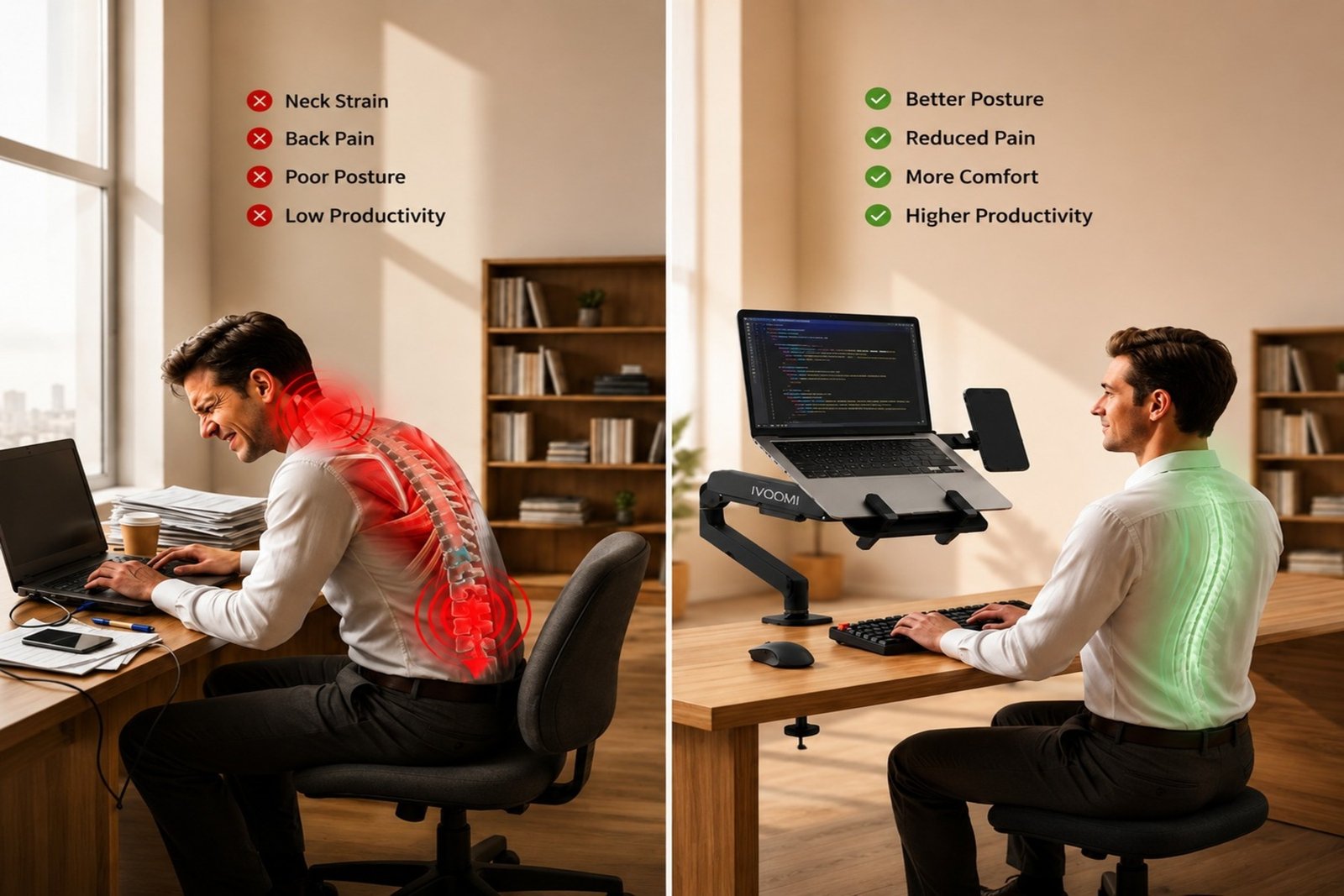
Most laptops sit directly on the desk, which means the screen is usually below eye level. As you work, you may naturally start looking down or leaning forward to see the screen better. When this happens for several hours every day, your workspace may not feel as comfortable as it should.
The good thing is that you don’t always need a bigger desk or a completely new setup. A few simple changes to your laptop workspace can make it more comfortable and easier to use.
Why Does Your Laptop Position Matter?
When you’re working on a laptop, the screen and keyboard are connected. This makes it difficult to raise the screen without also raising the keyboard.
Because of this, many people simply keep their laptop flat on the desk. After some time, you may find yourself leaning forward, looking down, or moving closer to the screen.
This can be especially noticeable when you’re working from home, studying, attending online meetings, or spending long hours on your laptop.
A comfortable laptop setup starts with paying attention to where your screen is placed and how you sit while using it.
1.Raise Your Laptop Screen
One of the easiest ways to improve your setup is to raise your laptop screen.
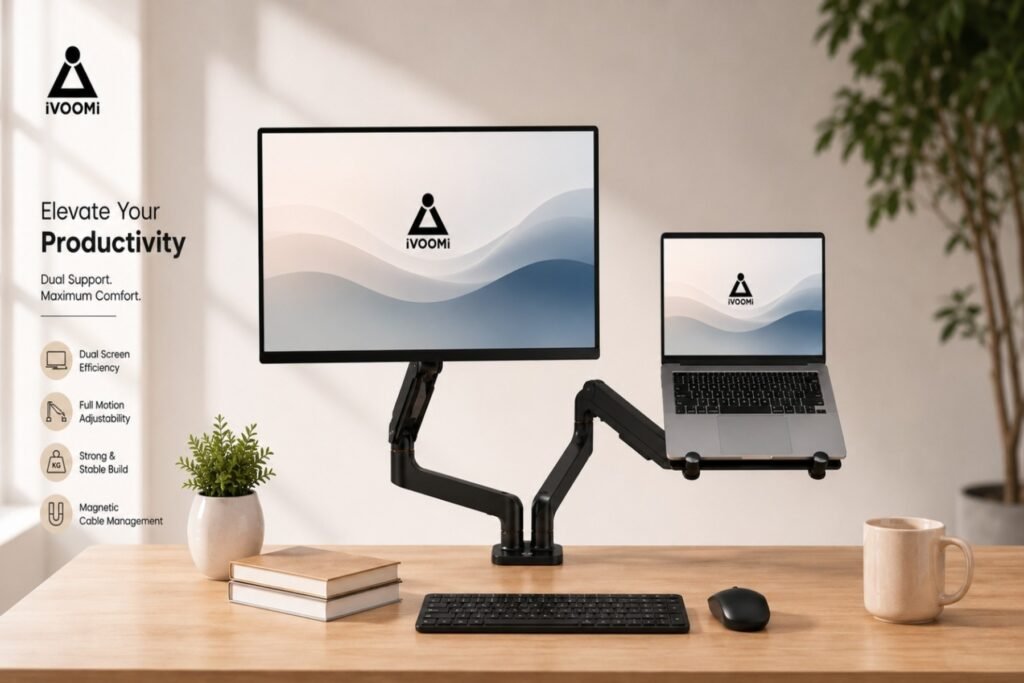
An adjustable laptop arm allows you to lift your laptop above the desk and change its position according to your seating and working style.
Instead of keeping your screen flat on the desk, you can bring it closer to a comfortable viewing height. You can also make small adjustments when you change your position throughout the day.
The goal isn’t to find one perfect position. It’s about finding a position that feels natural and comfortable for you.
2. Make Better Use of Your Desk
A laptop may not seem to take up much space, but once you add a keyboard, mouse, notebook, phone, charger, and other essentials, your desk can quickly become crowded.
A laptop arm for desk can help by moving your laptop above the desk surface.
This gives you more room underneath for your keyboard, mouse, books, or other things you use regularly.
It’s especially useful if you have a small desk and don’t want to replace it just to get more working space.
3. Find a More Comfortable Viewing Angle
Height isn’t the only thing that matters. The angle of your laptop screen can also affect how you sit while working.
If your screen is positioned awkwardly, you may find yourself leaning closer or constantly adjusting your head to see it clearly.
A laptop arm stand gives you more control over the position and angle of your laptop.
Whether you’re answering emails, working on a presentation, attending an online class, or watching a video, being able to adjust your screen can make your setup more flexible.
4. Make Studying More Comfortable
Students spend a lot of time using laptops for classes, assignments, research, and online learning. At the same time, they also need space for books, notebooks, and stationery.
Keeping everything on the same desk can quickly become frustrating.
A laptop holder armcan raise your laptop and leave more space on the desk for books and other study essentials.
It can also help create a cleaner study area without requiring a larger desk.
5. Create a Better Work-From-Home Setup
Working from home often means making use of whatever space you have. Your laptop might be on a study table, dining table, or a small desk in the corner of a room.
That doesn’t mean you need to replace your furniture.
Raising your laptop and giving it a dedicated position can help you make better use of the space you already have. You can also use a separate keyboard and mouse to keep the screen at a comfortable height while maintaining a practical typing position.
This simple change can make a home workspace feel more organized without requiring a complete makeover.
6. Don’t Forget About Your Sitting Position
Your laptop isn’t the only part of your setup that matters. The way you sit can also affect how comfortable
Try to avoid staying in the same position for hours. If you notice yourself leaning toward the screen, take it as a sign to adjust your setup or take a short break.
You can also check whether your chair and desk are at a comfortable height and whether your keyboard and mouse are easy to reach.
A better workspace is about how everything works together.
7. Give Yourself More Desk Space
One of the useful things about raising your laptop is the space it creates underneath.
Instead of having your laptop, keyboard, mouse, notebooks, and other accessories competing for the same area, you can organize them more efficiently.
This is particularly helpful for people with smaller desks. You can keep the things you use most often within easy reach while keeping the main working area less crowded.
A clean desk doesn’t just look better—it can also make your daily work feel less frustrating.
8. What Should You Look for in a Laptop Arm?
If you’re considering adding a laptop arm to your setup, don’t choose one based only on appearance. A few practical features are worth checking first.
Laptop compatibility: Make sure it can safely support your laptop’s size and weight.
Adjustability: Check whether you can change the height and viewing angle easily.
Desk compatibility: Make sure the mounting system works with your desk.
Stability: Your laptop should remain secure while you’re working or adjusting its position.
Build quality: A sturdy design is important for everyday use.
The right setup should make your workspace easier to use rather than adding another complication.
Create a More Comfortable Laptop Workspace
If you spend several hours a day on your laptop, the way your screen is positioned can make a noticeable difference to your workspace.
You don’t necessarily need a bigger desk or an expensive office makeover. Sometimes, simply raising your laptop, adjusting its viewing angle, and making better use of your available space can be enough to improve your setup.
A laptop arm gives you the flexibility to change your screen position while helping you keep your workspace cleaner and more organized.
And if you often find yourself looking down at your laptop, it may be worth taking a second look at your setup.
Sometimes, improving your workspace doesn’t mean buying a new desk. It simply means making better use of the one you already have.